Digital Wellbeing Redesign

Redesign Samsung's Digital Wellbeing, provide users their digital devices' usage data in a more direct, timely and influential way.

Role

Researcher
UX designer

Team

2 UX designer & Researcher
Samsung UX Team

Tools

Figma
Notion
Miro

Timeline

Sep, 2020 - Apr, 2021

Project Overview

Under pandemic, people started working at home and relying on digital technology to work and communicate much more than ever. However, many people have a hard time to adapt to this shift, complaining they are easy to get distracted. They also feel it's hard to be productive and balance their work and personal life.

Samsung wants to embrace the new normal and help people improve their productivity, especially for Gen Z. This project redesigned Samsung's Digital Wellbeing to:

Provide users their digital devices' usage data in a direct, timely and influential way
Raise people's awareness of their digital devices' usage habit.
Help people to be more focused and balance daily life better.

People's problem

Samsung's Digital Wellbeing offers users their screen time data to give them awareness, but...

Lack awareness

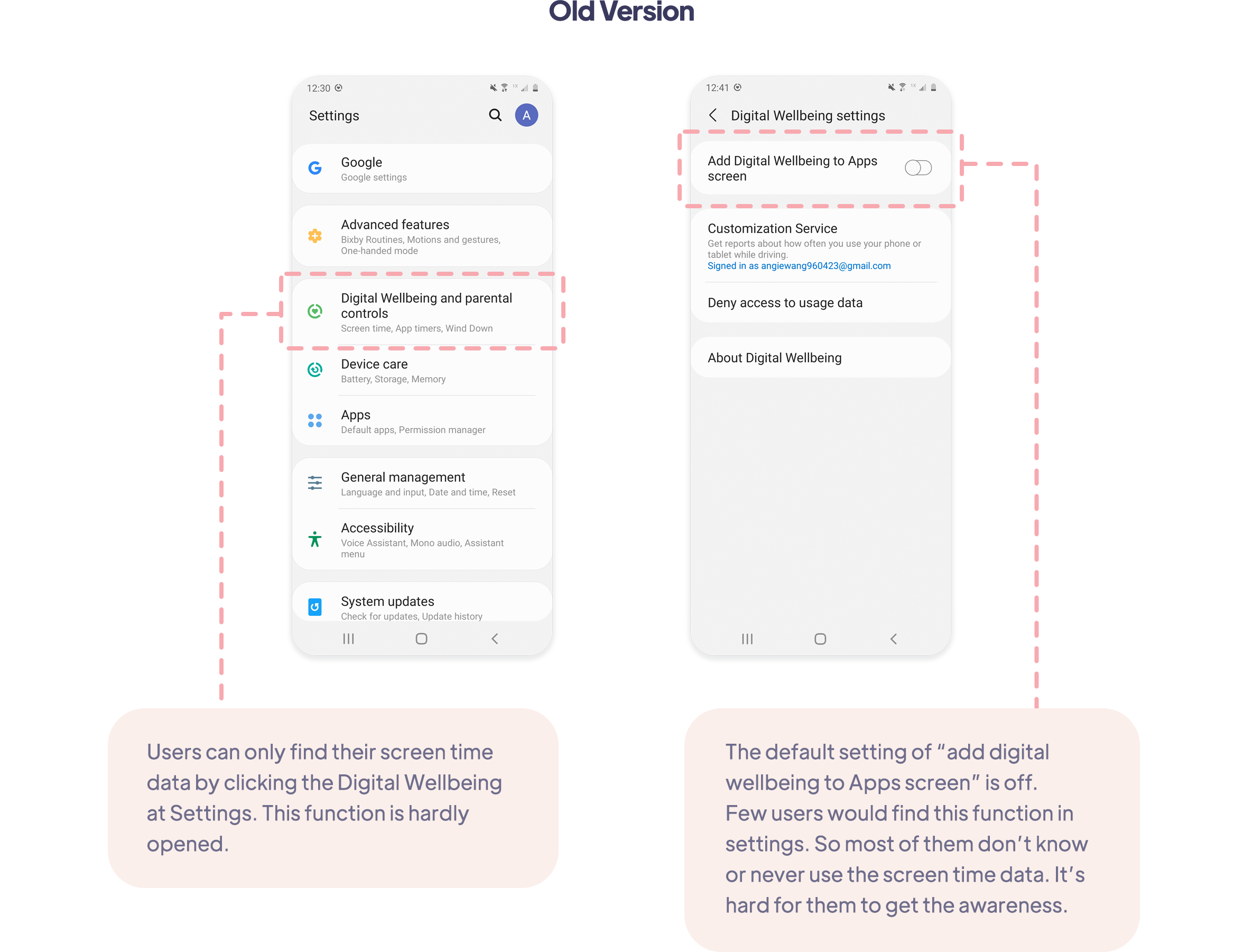
Digital Wellbeing can only be found at settings, and it is turned off at the beginning. Most users don't know this function and never used before.

Need comfortable awareness

Current features can’t give users awareness in a comfortable way. Many users feel guilty or inconvenient when they are commanded to stop or see the system notifications.

Lack influential reminder

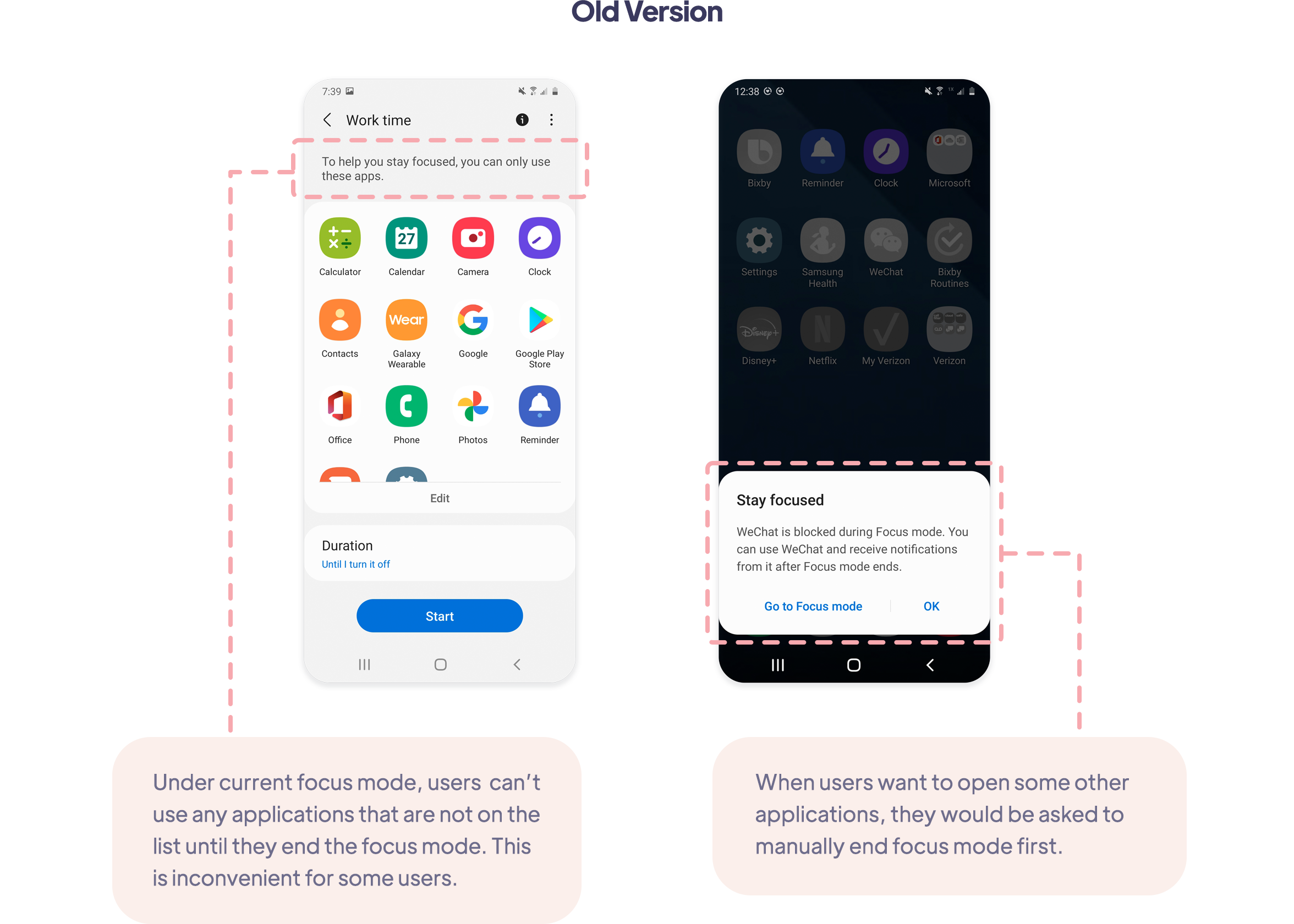
Even users turn on Focus Mode functions like App Timer, they are inclined to choose 'Dismiss' directly when they get the reminder.

Make much effort to set up

Current functions or applications which help people to be focused usually need users to set up functions in detail.

Solution

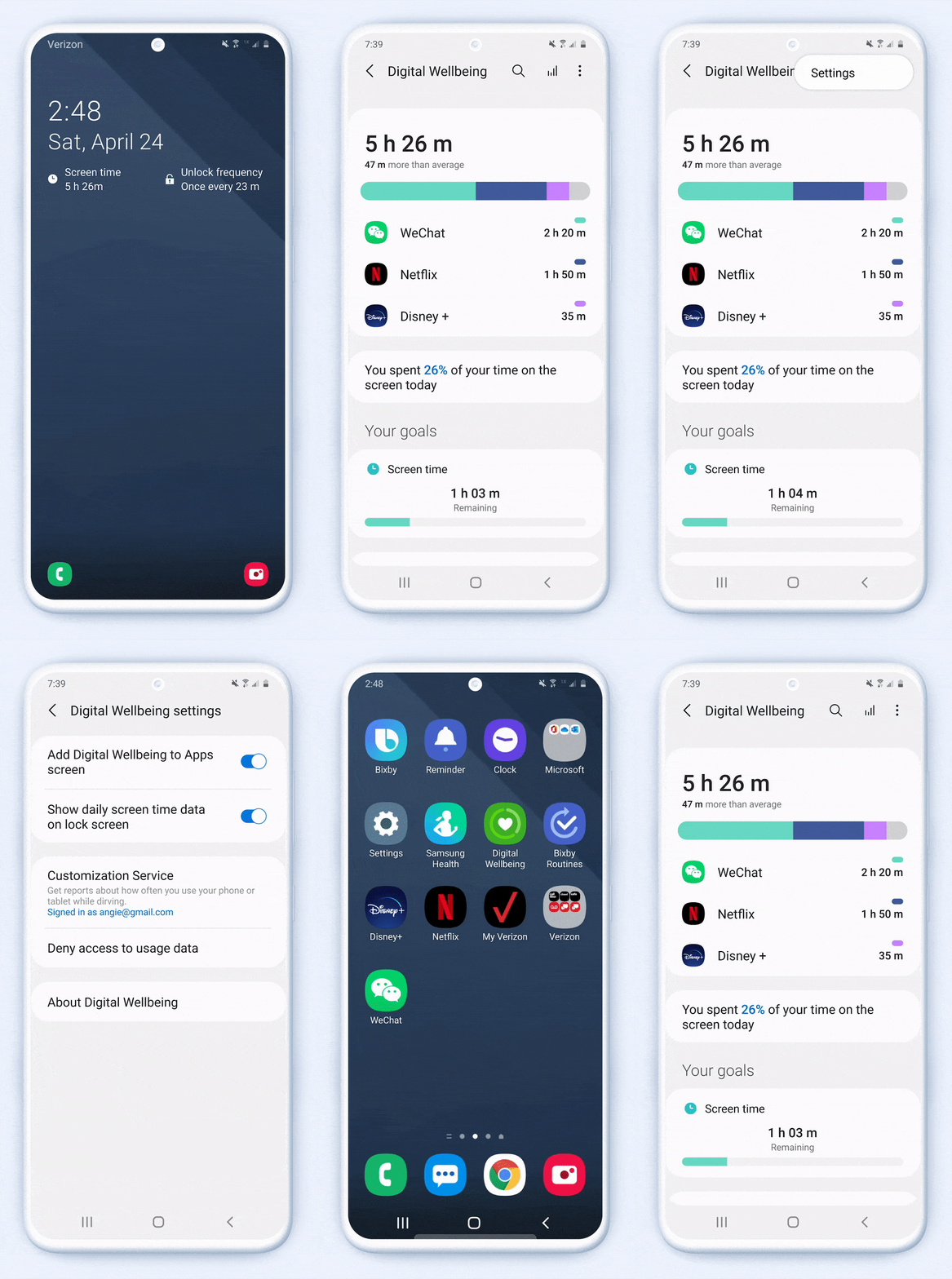
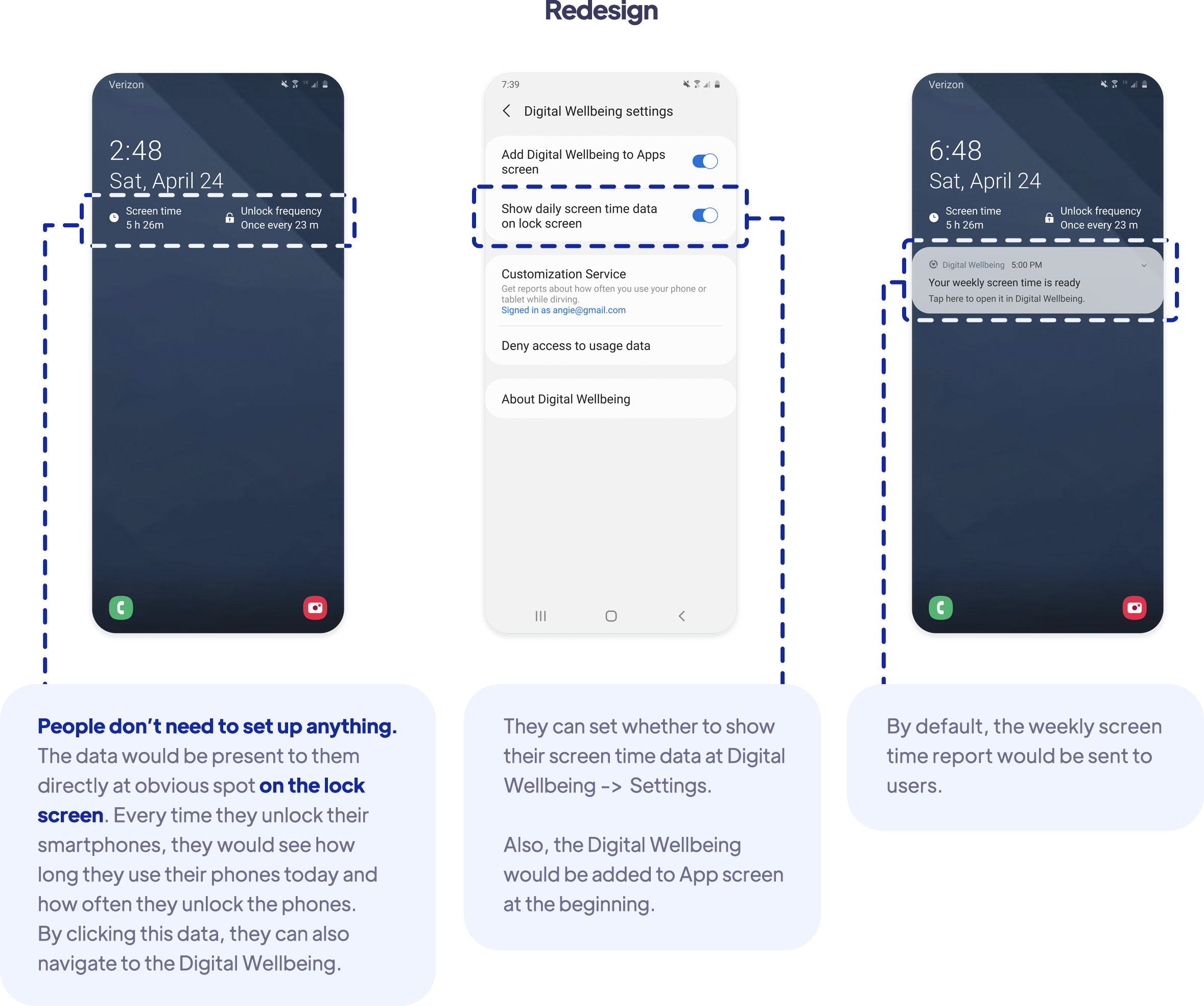
Show users screen time data at obvious position directly at the beginning

The screen time data would be shown on the lock screen directly. Users can also see Digital Wellbeing on App screen and get weekly report.

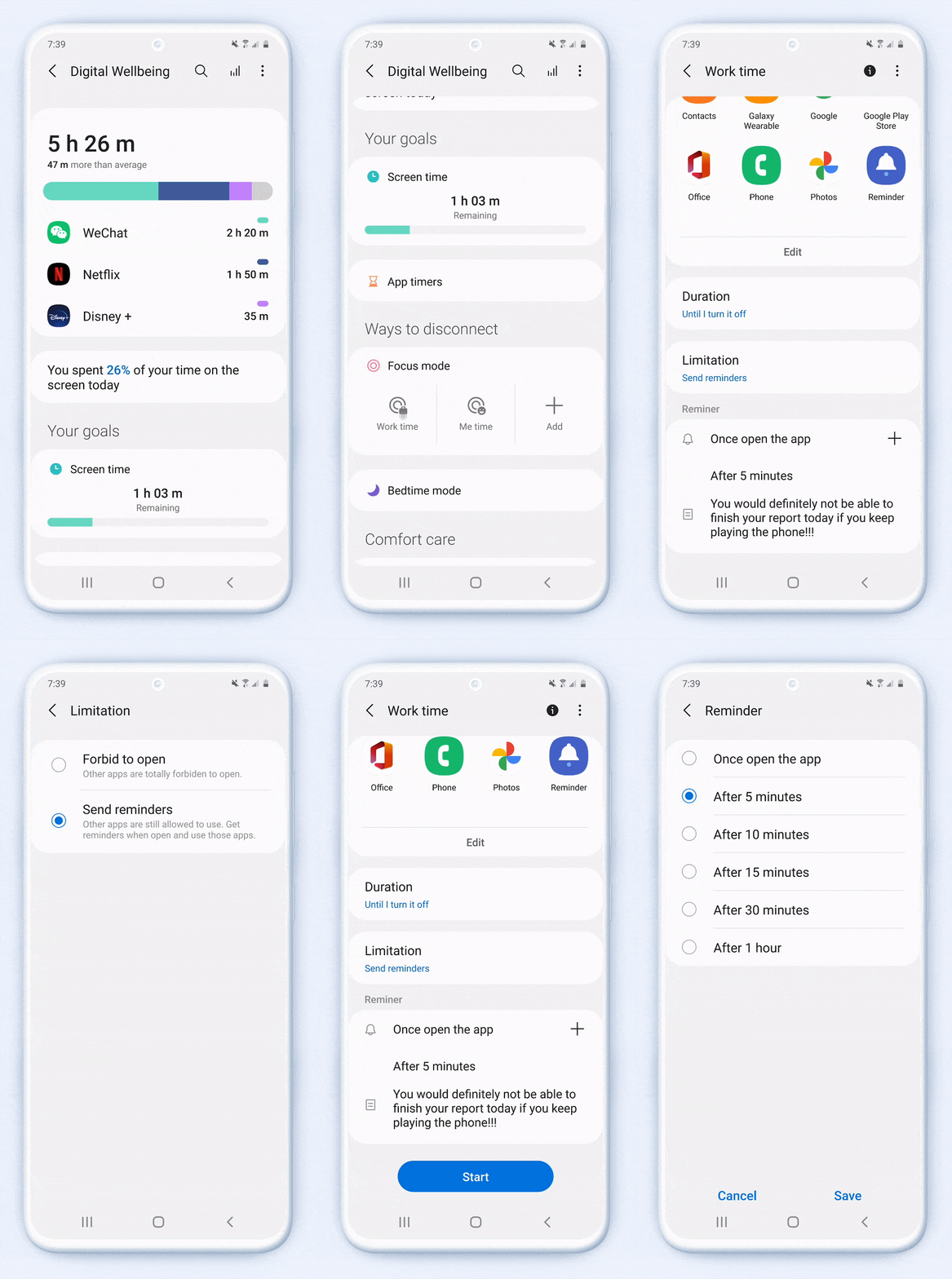
Allow users just get reminders instead of being totally stopped

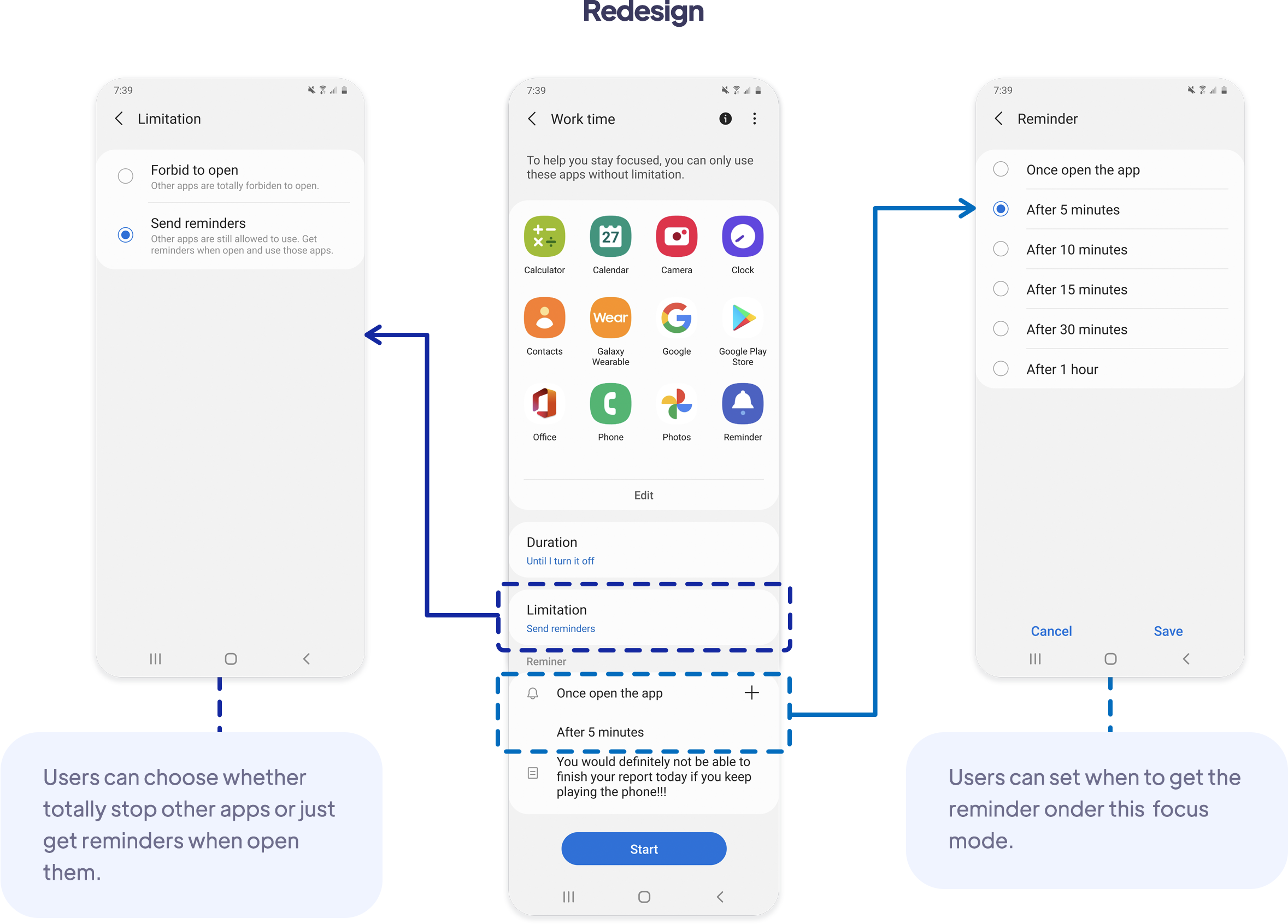
Under focus mode, users can choose whether totally be stopped using certain apps, or just get reminders when open those apps.

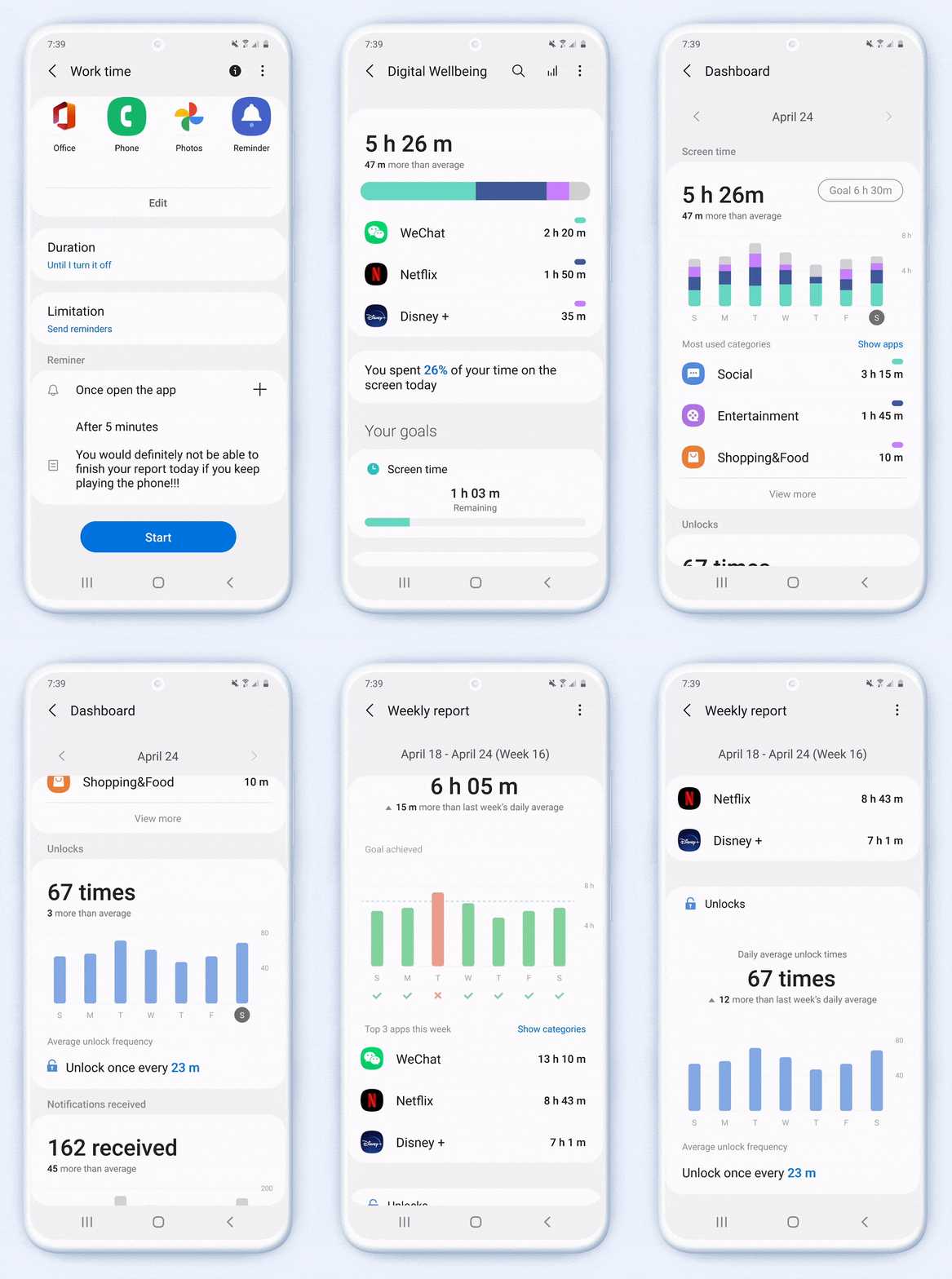
Provide users more influential data and reminders

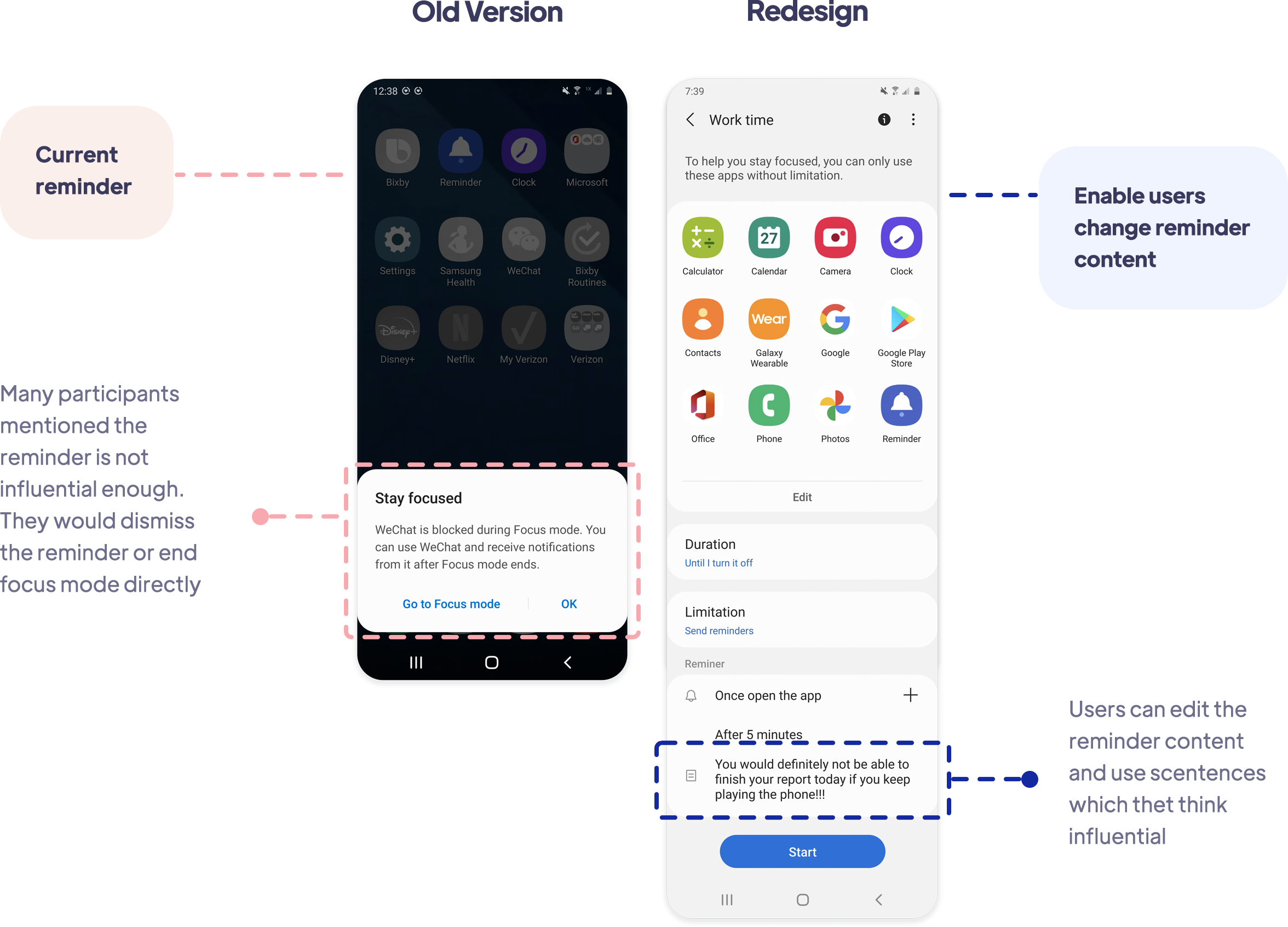
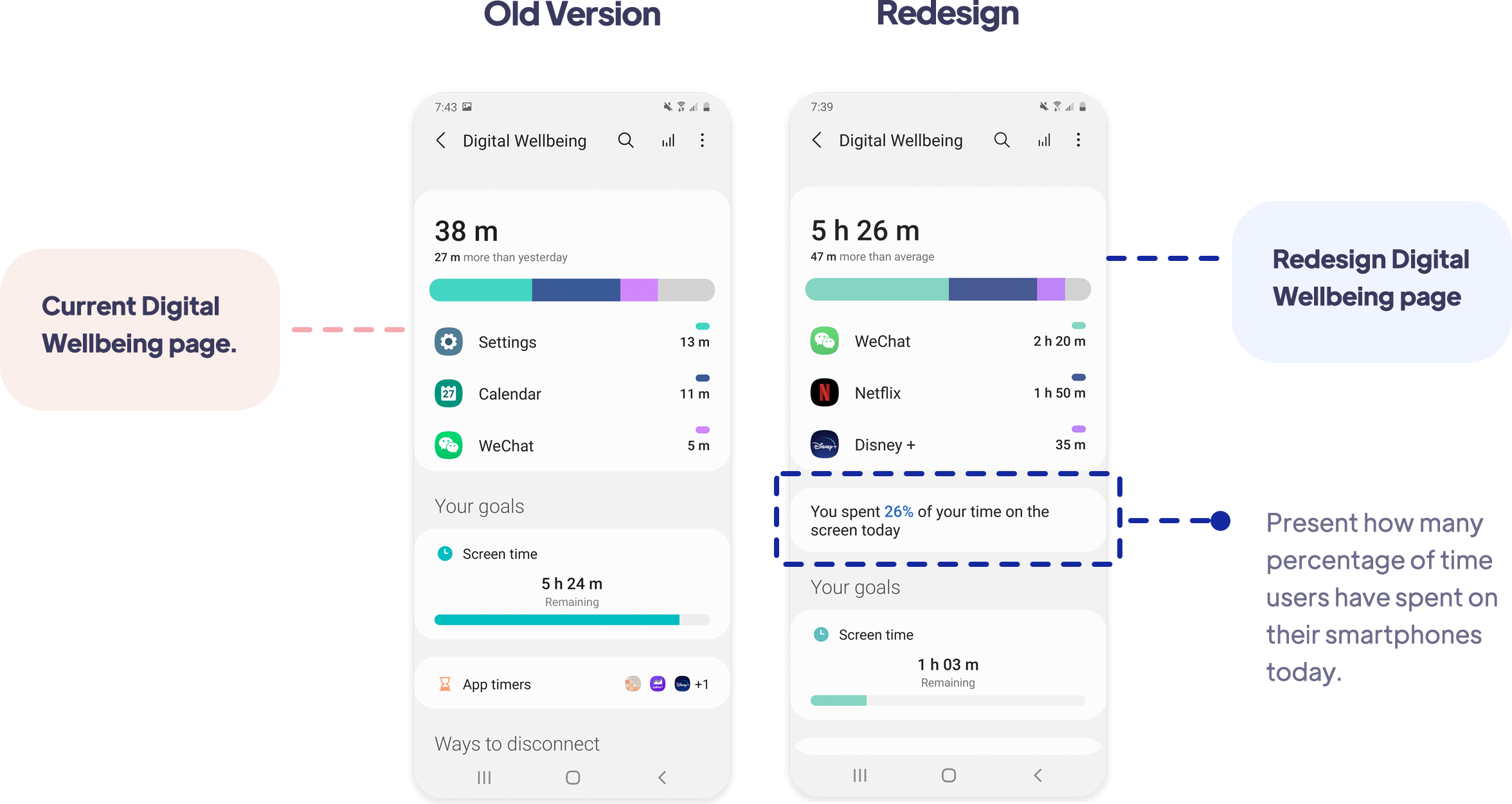
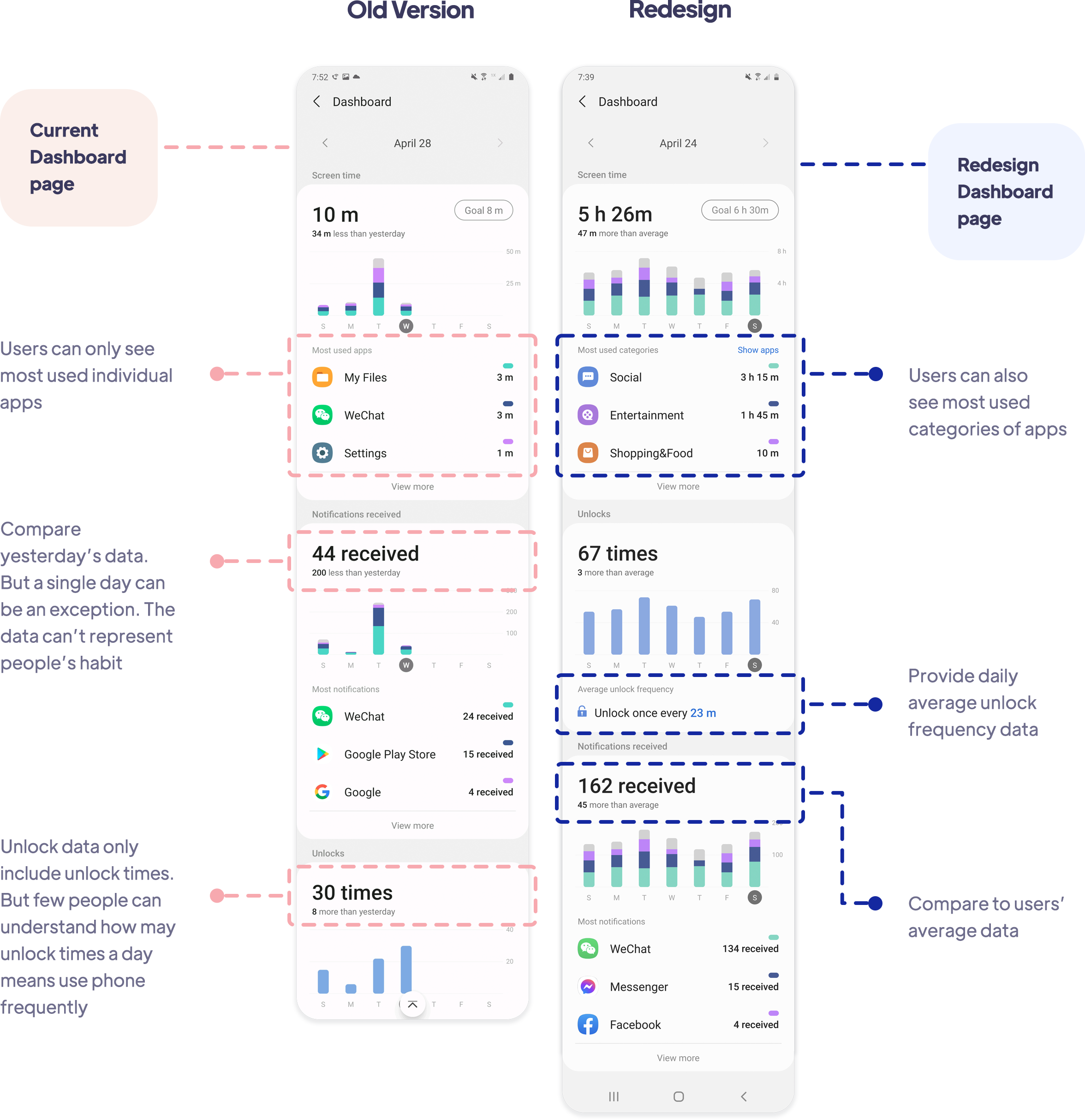
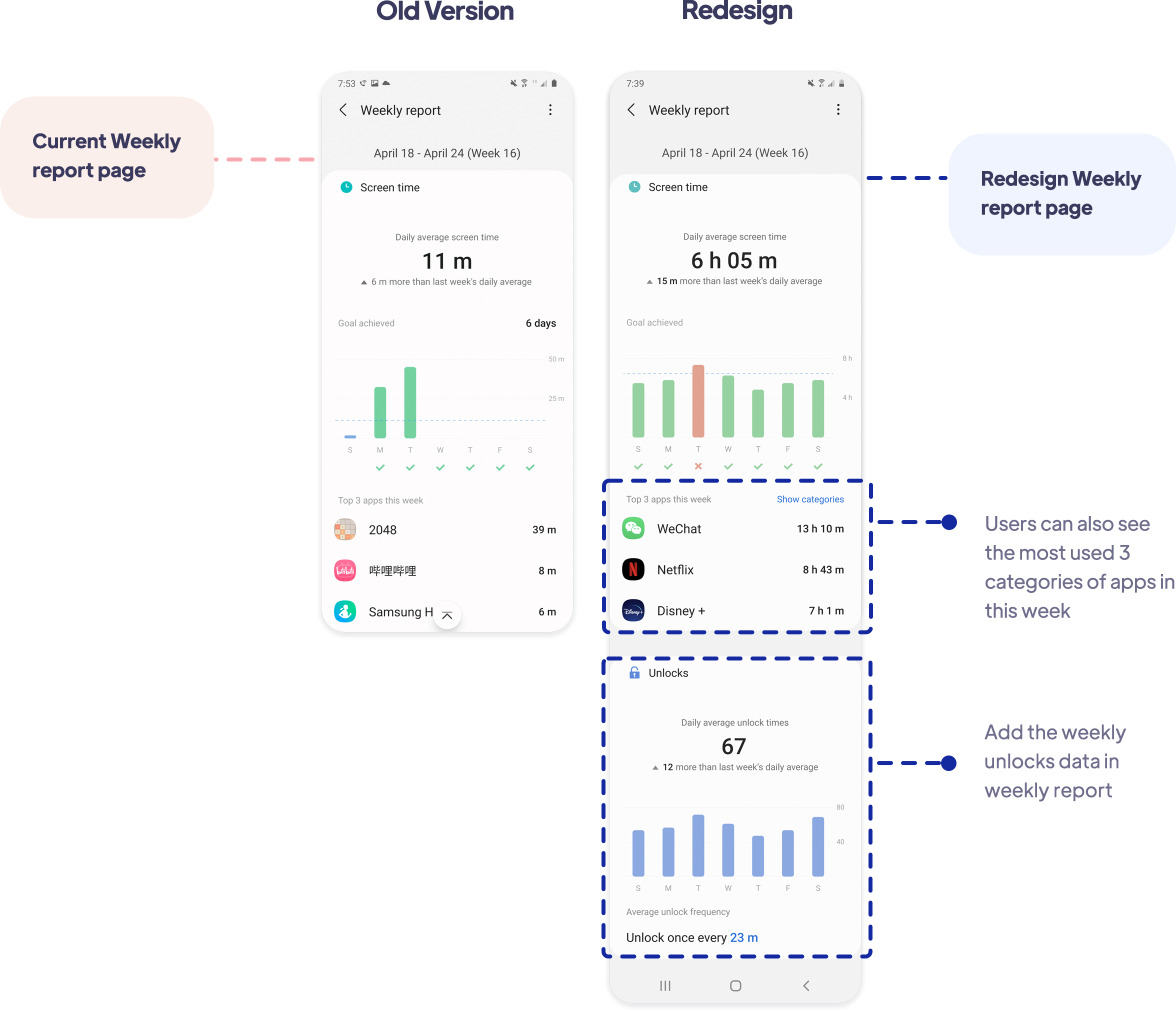
Users are allowed to edit the reminders' contents, using sentences which they think can motivate them most. Few parts of the screen time data and weekly report were also changed to give people more awareness.

So, how did I get there?

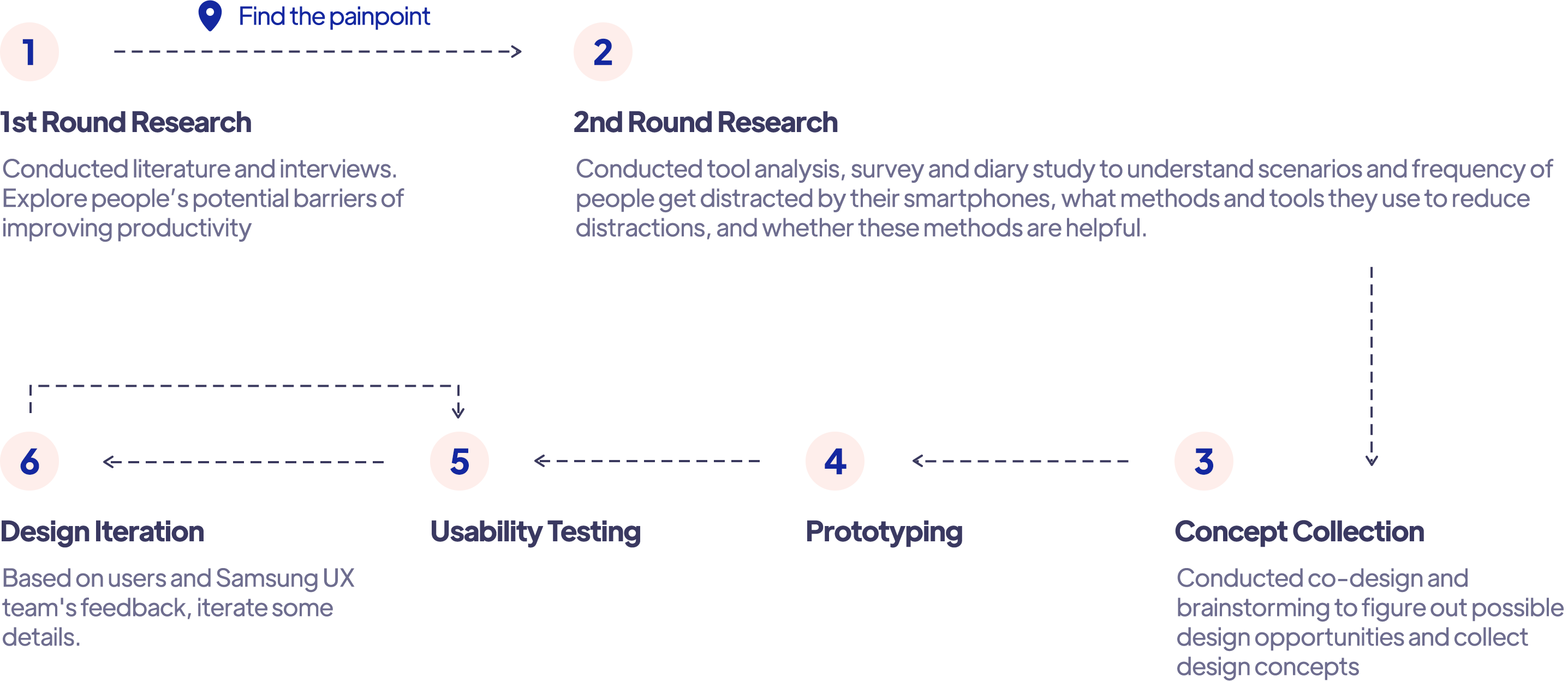
The Iterative Design Process

Design Prompt

According to the 1st round research and the survey, more than 80% participants thinks they are easily get distracted by their smartphones, especially while working at home.
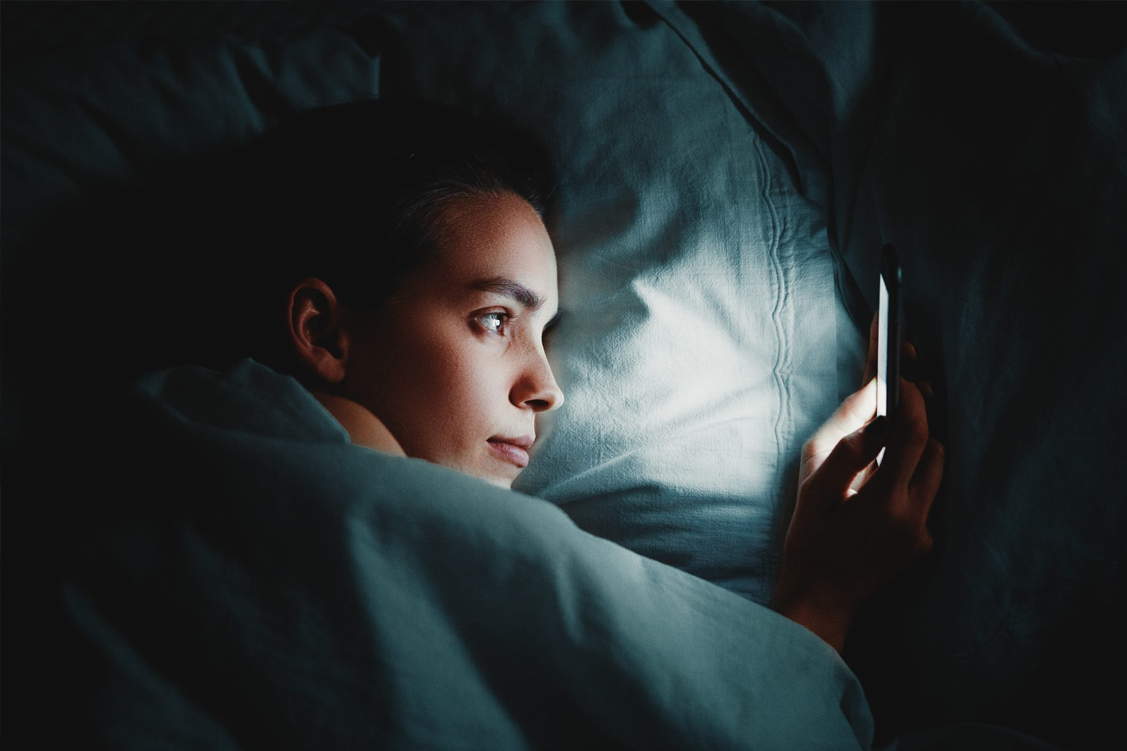
Stay up late playing mobile phones
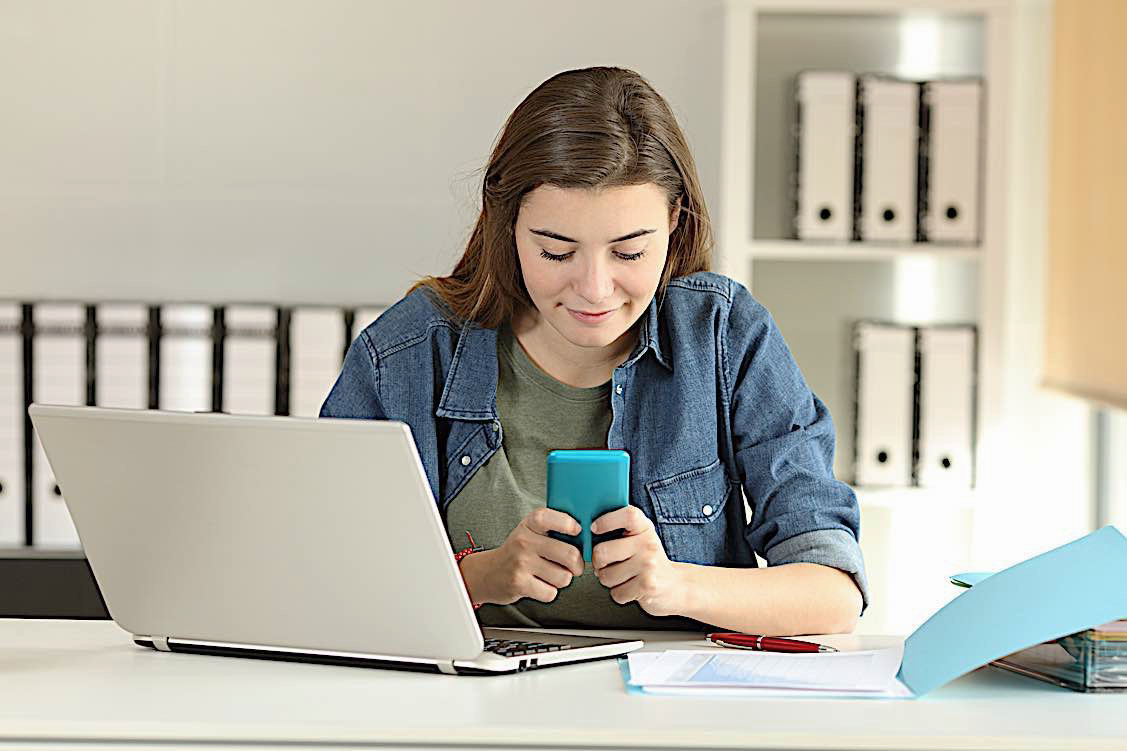
Get distracted by their smartphone while they are working/studying
Feel much regret when they realize they have wasted much time

Compared with other groups, Gen Z is more inclined to be distracted by smartphones...
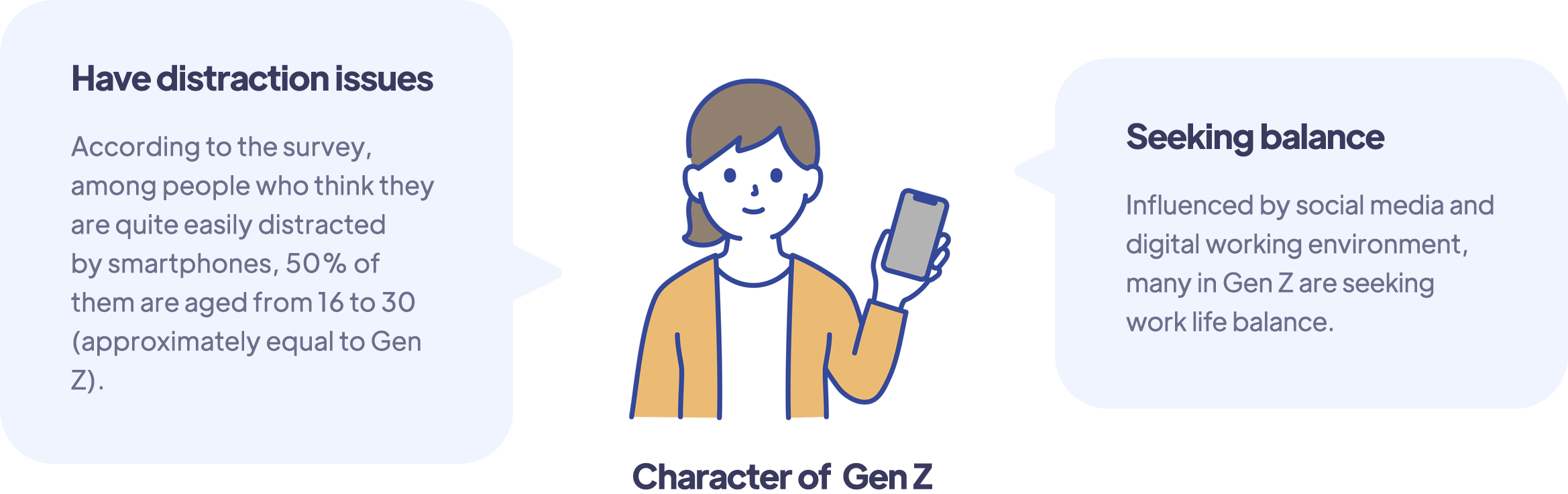
But, why are people easily get distracted by smartphones...

High level of accessibility
Today, almost everyone have a smartphone. We always take our smartphones with us everywhere. Compared with our PCs, smartphones are used most for personal life instead of work.
Intriguing functions and  information
Social media platforms, games, streaming medias, shopping websites... With so many interesting informations and functions on these little devices, smartphones have become so intriguing.
High motivation to connect with others
Under pandemic, most of us are working from home and lack socialization. Most participants mentioned current condition makes them more want to connect with others via smartphones. So they would check social media more often compared with before.

Samsung has functions to help people reduce distraction, but..

In fact, many smartphone producers and applications (e.g. Forest) have provide users some existing features to help them stay focused and use smartphones in a more health and productive way, like the screen time usage report, App timers, etc. Samsung also has the Digital Wellbeing, Focus Mode, Bedtime Mode and Bixby Routines, etc.

However, according my research, these features are not common used by users. Some people have tried such features but they usually give up quickly. So, why do users hardly use these features?

Tiffany
26 years old

“I never used the screen time function before and never thought I use my smartphone that much... If there is a reminder that can let me know how much time I have cost on my smartphone, I won't use it that much."

Hins
20 years old

“I want to become focused. But every time I see the reminder pop up and tell me it’s the time to stop, I just click ‘Dismiss’…”

Shelby
23 years old

“I would never use the default timer and focus mode on my phone. It just totally forbid any access to those applications, which is quite inconvenient and uncomfortable.”

Yi
24 years old

“I have tried the App timer on my smartphone and found it’s too complex. I need to set timer for everything on the phone and it’s much effort…”

User's painpoints

What people need is awareness, but current awareness has several limitations. According to the interview and co-design session, I found why people hardly use those features because:

Lacking findability

The awareness provided by screen time report lacks findability.  Current screen time report can only be found in Settings and hardly be opened and used. So, even the data is influential, people don’t know where to see them and hardly get this kind of awareness.

Not influential enough

People need timely reminders when they have been distracted. Yet current reminders, like App Timers, are not influential enough. Many people would still choose ‘Dismiss’ when they see the reminder, and feel this feature is not useful enough.

Not comfortable

Current features can’t give users awareness in a comfortable way. Most focus applications would totally forbid users to use applications, pop up sudden notification, make users feel guilty or be commanded to stop.

Need efforts

In the long term, users might won't cost much effort to set up functions in detail, use a certain tool, keep a routine or form a habit.

Design Opportunity

Where are users' painpoints and requirements, there exists design opportunities. Broke down the whole task and combined the insights from researches, I got 4 design goals:

Findable

Make the smartphone usage data easy to find.


Influential

Make the awareness more timely and influential.


Comfortable

Provide people awareness in a more flexible and natural way. Make them spontaneously think their behaviour instead of forcing them to stop.

Easy

Make the awareness easy to get. Everyone should have the opportunity to get the impact without much settings.

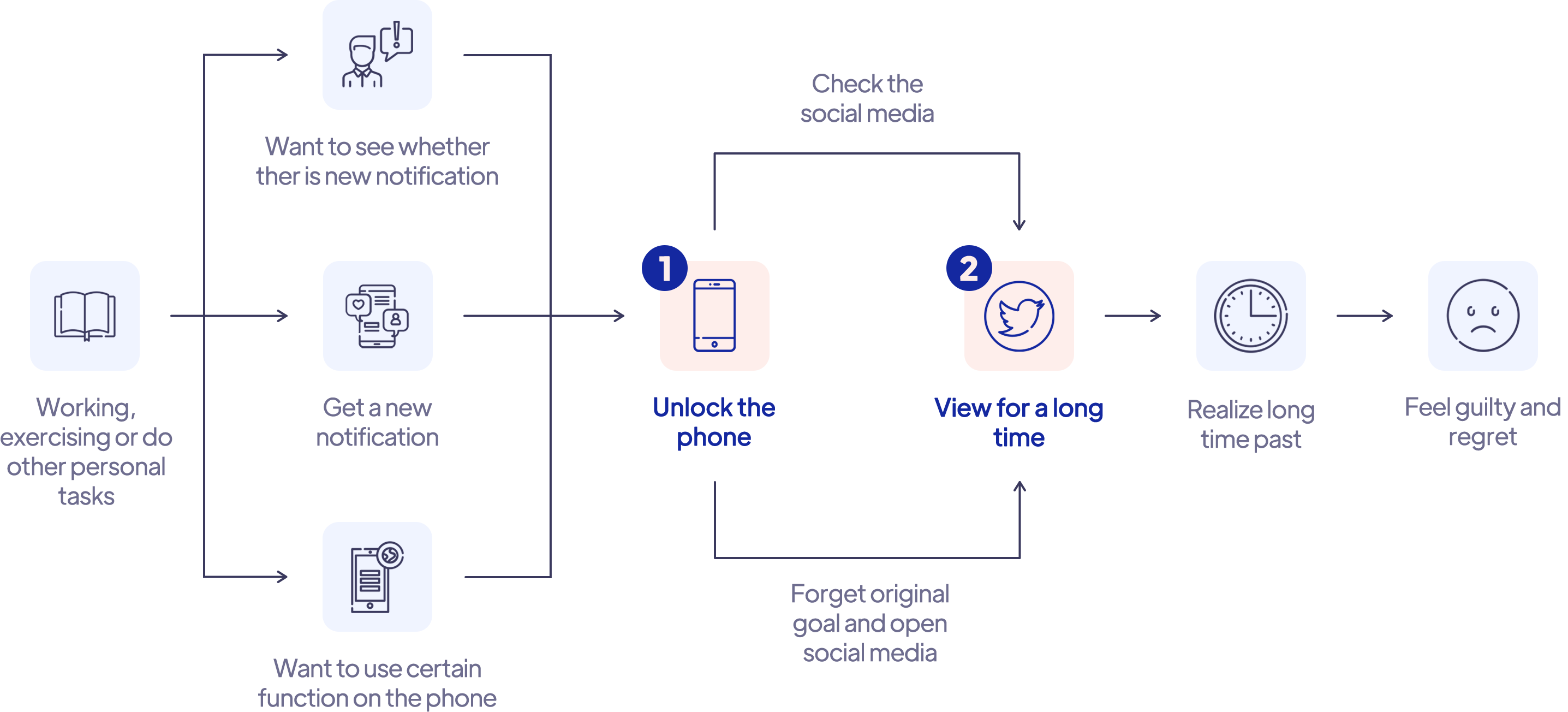
User journey

According to most records in diary study, I got the common journey of how people got distracted by their smartphones. Among all the steps, I found two touch points that people connect with their phones. There exist design opportunities to give people awareness.

Get inspiration

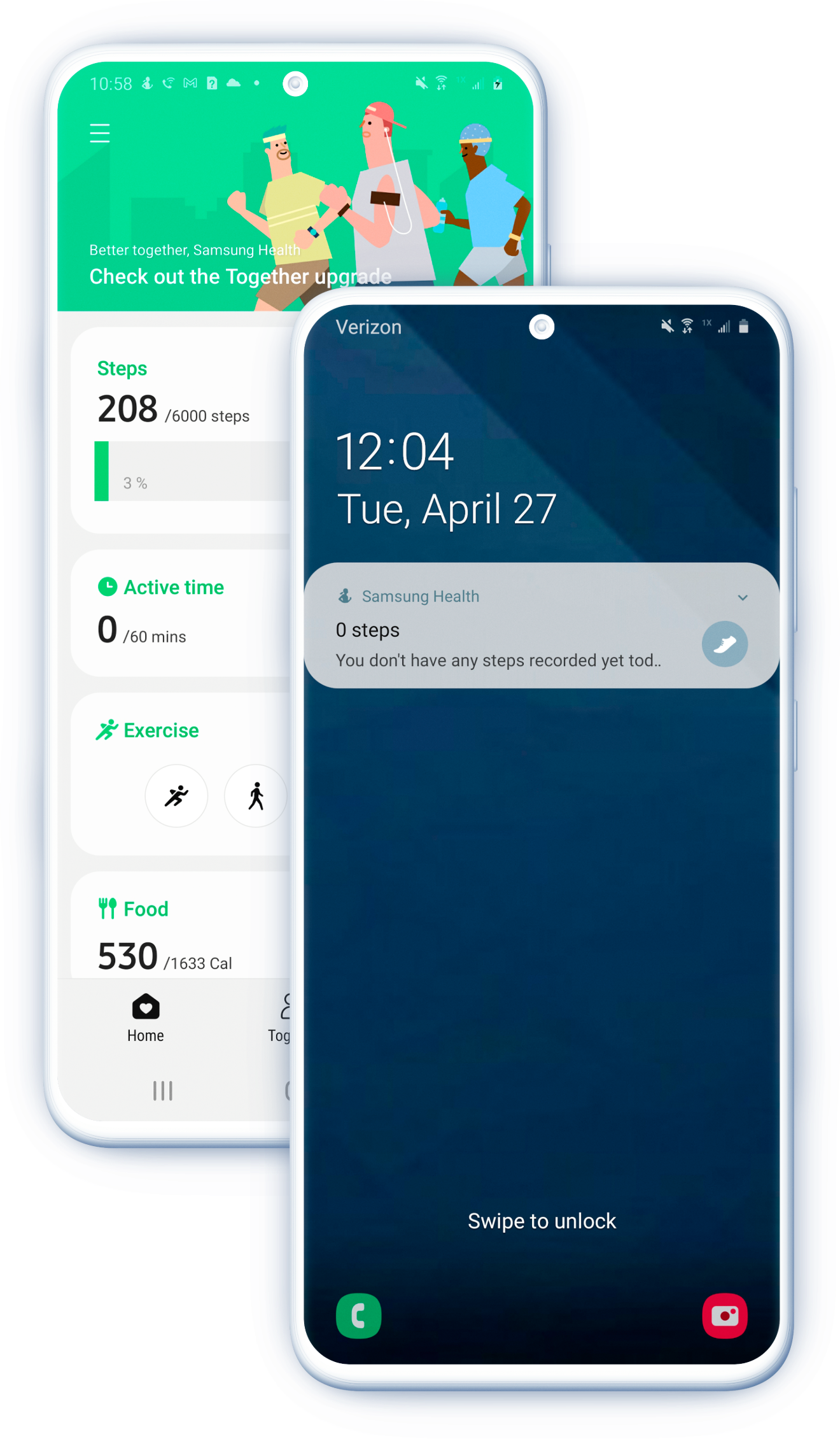
I was inspired by other applications which also aim to help people generate a habit and motivate them to continue -- the exercise applications. These applications have common features:

  • People can see their daily steps on lock screen.
  • Users can find default health applications (like Samsung Health) at App screen easily and understand what they are used for.
  • People don’t need to set much. They can just see their periodic exercise data and then decide whether they should walk more.
  • With periodic report, people would also get periodic detailed awareness, and finally generate and the habit.

Final Design in Detail

Show users screen time data at obvious position directly at the beginning

Though some users may also ignore these data, but it would be a chance for them to think about whether they are supposed to unlock the phone. And since it’s always on the lock screen, this feature would also have opportunity to impact everyone.

Allow users just get reminders instead of being totally stopped

Provide users more influential data and reminders

I also changed few parts of the Digital Wellbeing, Dashboard, screen time data and weekly report page to give people more awareness.

What I Learned

UX design also need to be based on product thinking

As UX designers, we always need to pay much attention on users' experiences and try to achieve user-centered design. However, in the industry, we also need to consider the commercial goals, business values, budget and development cost, etc.

Therefore, creating new applications or adding new functions are not always better ways to improve current situations. We should also think about and utilize what the product already have, view the design from the whole project's perspective to save development cost and keep product's consistency.

Every small change has large quantities of researches and data behind it

In the industry, every small changes and design features should be convincing and reasonable. It's not just a flash of insight, but also needs enough research data to support it. A small change can also impact a lot of users.

Thinking questions in long term

Users build their usage habit during their past long term experience. When we try to persuade users gain new habits and have new behaviors, it might be a process which against their original habits and cause unpleasant experiences. We should think design in a long term, give users choices, or simplify the change to make it easy and simple enough.